
In this article, you will find all the information related to your tracks’ metadata and how to fill the necessary fields step by step.
Adding tracks to a release
When creating a release, you’ll have two ways to add tracks from tab 3 “Tracks”:
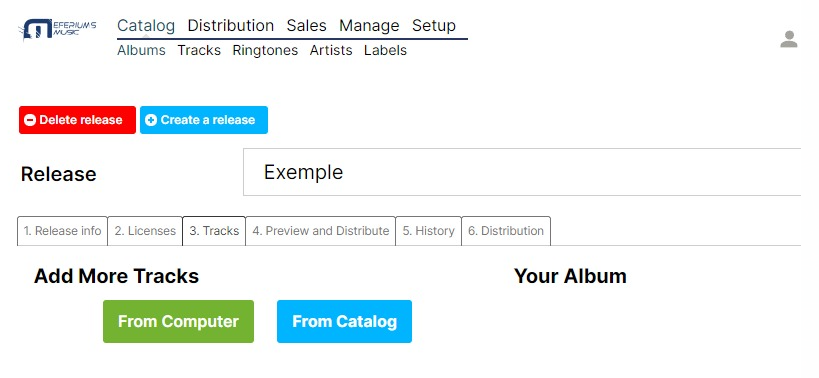
- From Computer: If the track has never been uploaded to the platform, you should select this option and upload the file from your computer.
- From Catalog: If the track has been already uploaded to the platform, you should select this option and search it from your platform Catalog.
Filling tracks metadata
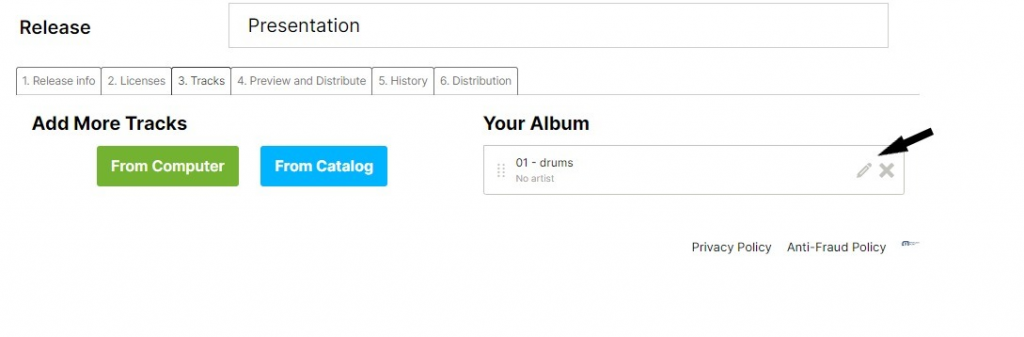
After adding your track, once you access it from the editing icon, you should fill in all necessary metadata:
- Title: Here you should introduce your track’s title. Remember that for one-track releases, the title must be the same at track and album level.
- Remix or version: This field is not mandatory, it should only be filled in the case that the single or the album is a remix, a version, or a special edition. For one-track releases, the version must be the same at track and album level.
- Version, karaoke, parody, tribute, or cover: You should mark this option as true if your track is a Version, karaoke, parody, tribute, or cover of an original song.
- Audio: Upload your audio file.
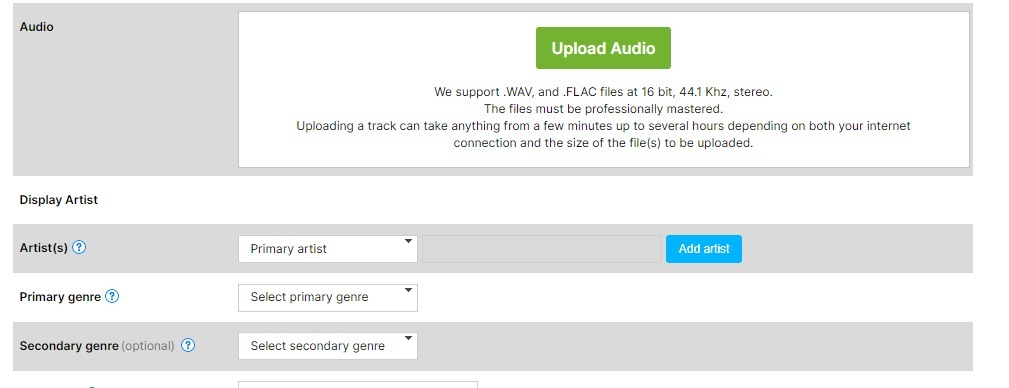
- Artist(s): Here you should introduce all the participants of this track. More info here.
- Primary Genre: This field is mandatory.
- Secondary Genre: This field is not mandatory.
- ISRC code: If you don’t have an ISRC code to identify the track, activate the “I don’t have one, please assign an ISRC to this track” option.
- (P) Publishing Rights: Legal name of the publishing rights owner.
- Lyrics: This field is not mandatory. The lyrics introduced here just will be sent to iTunes, other DSPs use external services.
- Language: The main language of the track.
- Available separately: If you distribute a release with two or more tracks and want them to be available separately in download channels.
- Notes: This field is not mandatory and is of internal use, so nothing in it will be sent to DSPs.